What Texas Homeschool Co-op Leaders Should Have Ready for Registration and Tuition This Year
By LearningSense · November 17, 2026
If you lead a Texas homeschool co-op, this is a busy stretch of the year. Spring classes may already be filling, next fall may be on the calendar, and families may be asking whether the state's new education savings accounts can pay their co-op fees.
You do not need a new policy for every question. You need a clear fee list, a simple way to register, a consistent way to record payments, and a short, accurate answer when a parent asks about Texas Education Freedom Accounts. This is general information, not legal or tax advice.
Start with a fee list families can understand
Write down every amount you charge and what it covers. Many co-ops put a family membership, class or instructor fees, and supply or facility costs on a single line. That is hard for a treasurer to track, and it is even harder for a parent who wants to see which charges relate to instruction.
A clearer list usually has three parts:
- Membership or facility costs that keep the group running
- Class or instruction fees, listed by child or by class
- Supplies, books, or other one-time items
Say whether each fee is per child or per family, and note any sibling discount. Share that list when registration opens, and use the same wording on invoices and receipts. The goal is not a perfect budget spreadsheet. It is that every family sees the same breakdown.
Open registration in one place, with dates and class caps
Pick a registration window and stick to it. Tell families when it opens, when it closes, and what happens if a class is full. Set a cap for each class before the first form goes out, and keep a waitlist rather than taking informal names in a group chat.
If you give returning families a chance to re-enroll first, say so in writing, including the date new families can join. Collect each child's class choices, the fees that go with those choices, and the family information you actually need for the semester: contacts, allergies, medications, emergency and pickup details, and any consent you require.
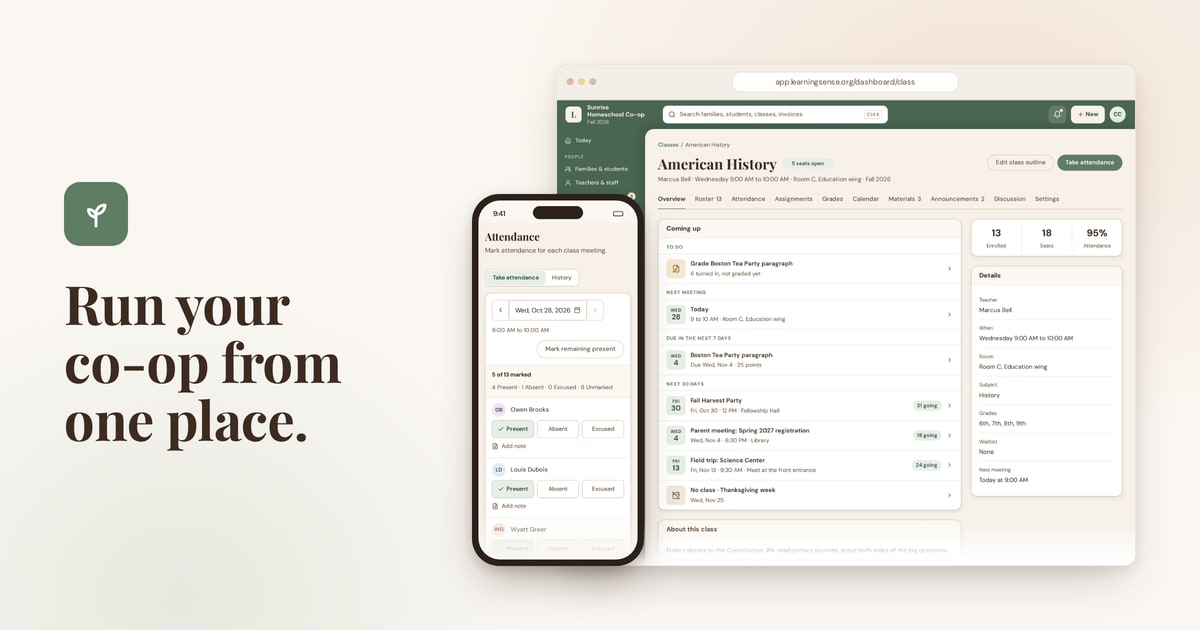
The messy version of this is a spreadsheet, a form, and a payment app that do not match. The calmer version is one signup link, one fee list, and one record of who is in each class. LearningSense is built for that kind of registration for co-ops and programs nationwide: directors share a link, families register each child, and class sizes and waitlists are part of every plan. For a week-by-week spring calendar, see our Homeschool Co-op Spring Semester Enrollment playbook.
Collect tuition the same way, every time
Choose how your co-op accepts payment, and record every payment in the same place, whether it arrived by card, by bank transfer, or as a check or cash you mark paid. Invoices, reminders, and receipts should match the fee list you already published.
If some families pay online and others drop a check in a folder, the totals still need to match your bank account. That habit matters even more when a parent later asks whether a payment came through some other route.
In LearningSense, families can pay by card or by bank transfer (ACH) through Stripe, or pay you directly so you can mark it paid. Fees come out of the program's payout. Families pay the amount you charge. You can start a free 14-day trial, no card needed. The Free plan is free forever for up to 10 families (payment processing fees apply).
When families ask about Texas Education Freedom Accounts
Some of your families may have a Texas Education Freedom Account, often called TEFA, and they may ask whether it can cover co-op fees. That is a fair question. It is also one you should not answer off the cuff.
The program is run by the Texas Comptroller of Public Accounts. Families spend funds through the official program marketplace, and only on products and services the program has approved. Co-op fees are not automatically covered. Whether a particular charge can be paid that way depends on official rules and on whether the co-op or an instructor is an approved provider.
LearningSense is not a Texas Education Freedom Accounts vendor. Nothing in this article, and nothing on our listing, is a claim of program approval.
A short written note for families is enough. Point them to the official Texas Education Freedom Accounts website for current rules and approved expenses, and say clearly whether your co-op is an approved provider. Unless your co-op or an instructor has applied and been approved, do not speak as if you are one. Never promise that a fee will be covered. Only the program decides that.
If your board is considering applying as a provider, start with the official Providers and Vendors page. Describe your setup in plain terms if you contact program support, and write down the answer you receive, including the date. For a longer look at how this can affect different co-op models, see Texas Education Savings Accounts and Homeschool Co-ops: What TEFA Means for You.
Keep the books easy to hand to someone else
Midyear is when a co-op feels the cost of messy records. If you stepped away for a week, could another leader see who is enrolled, who has paid, and who is on a waitlist?
Review the roster against payments before the next term starts. Keep the co-op's money separate from anyone's personal account. Save the fee list, the registration dates, and the note you give families about education savings accounts, so you are not rewriting them under pressure.
If you want that roster, fee list, and payment record in one place, you can start at learningsense.org.
About the authors
Rachel and Joshua Barnett built LearningSense in Lubbock, Texas. LearningSense is software for homeschool co-ops and church Parents Day Out programs nationwide.